Case study
Role
Product Designer
Team
Solo design exercise
Industry
Health & fitness wearables
Duration
1 week
At a glance
5.3:1
Lowest text contrast
WCAG AA asks for 4.5:1
34 pt
Smallest watch touch target
Sized for a moving wrist
2 s
Hold to end a run
So a sweaty swipe can’t end it
01
The challenge
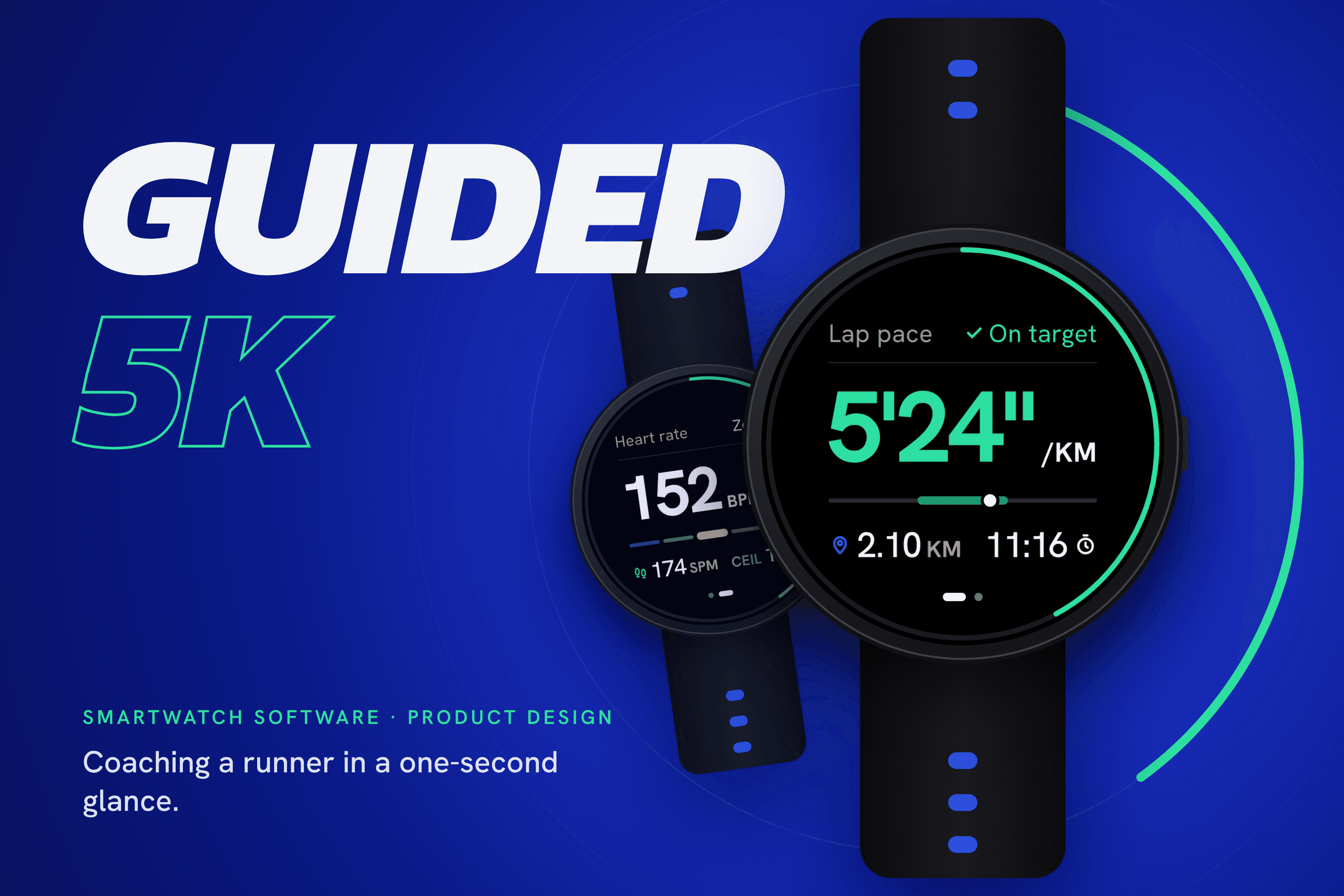
The brief was a guided 5K for a smartwatch running app: the watch tracks pace, heart rate, cadence, time and distance, and steps in when the runner falls behind target pace or pushes past a safe heart rate.
The hard part isn’t the data, it’s the moment. Mid-run, a runner glances at their wrist for about a second, with a swinging arm, sweat and glare. Every extra number competes for that second, and alerts that fire too often teach people to ignore them, including the one that matters for safety.
So the goal was a run you can coach from a one-second glance: show only what a runner can act on, escalate only when it matters, and leave everything else for the phone.
02
Approach
Start with what runners actually check
In online running forums and surveys, runners said the three things they check most during a run are distance, time and pace. Pace gets the biggest number because it’s what the guided run coaches.
One rule for two devices
Act on the wrist, understand on the phone. The watch shows only what you can act on mid-stride. Anything that needs typing, more than three options, or comparing over time moves to the phone, before or after the run.
Improve the existing run screen
I audited the stock run screen and kept what works: true-black OLED screens, a bright accent palette, a pink heart for heart rate and the round-face layout. Then I fixed four things: one clock instead of two, icons instead of bracketed labels, a steady lap pace instead of an instant pace that jumps with GPS noise, and colour that changes only with status.
A visual system that carries meaning
Every colour has one job: teal for on target, amber for caution, red for safety, pink for heart rate, blue for distance. Data is set as one bold hero number with tabular figures and tight tracking, and headlines use a heavy italic in capitals for an energetic, athletic voice. The lowest text contrast anywhere is 5.3:1, and status never relies on colour alone.

03
The solution
Seven watch screens cover one run: Ready, Running, Heart rate and 5K complete for the main path, plus Pace warning, Safety alert and Paused. Every data screen shares one grid, so nothing jumps when the state changes.
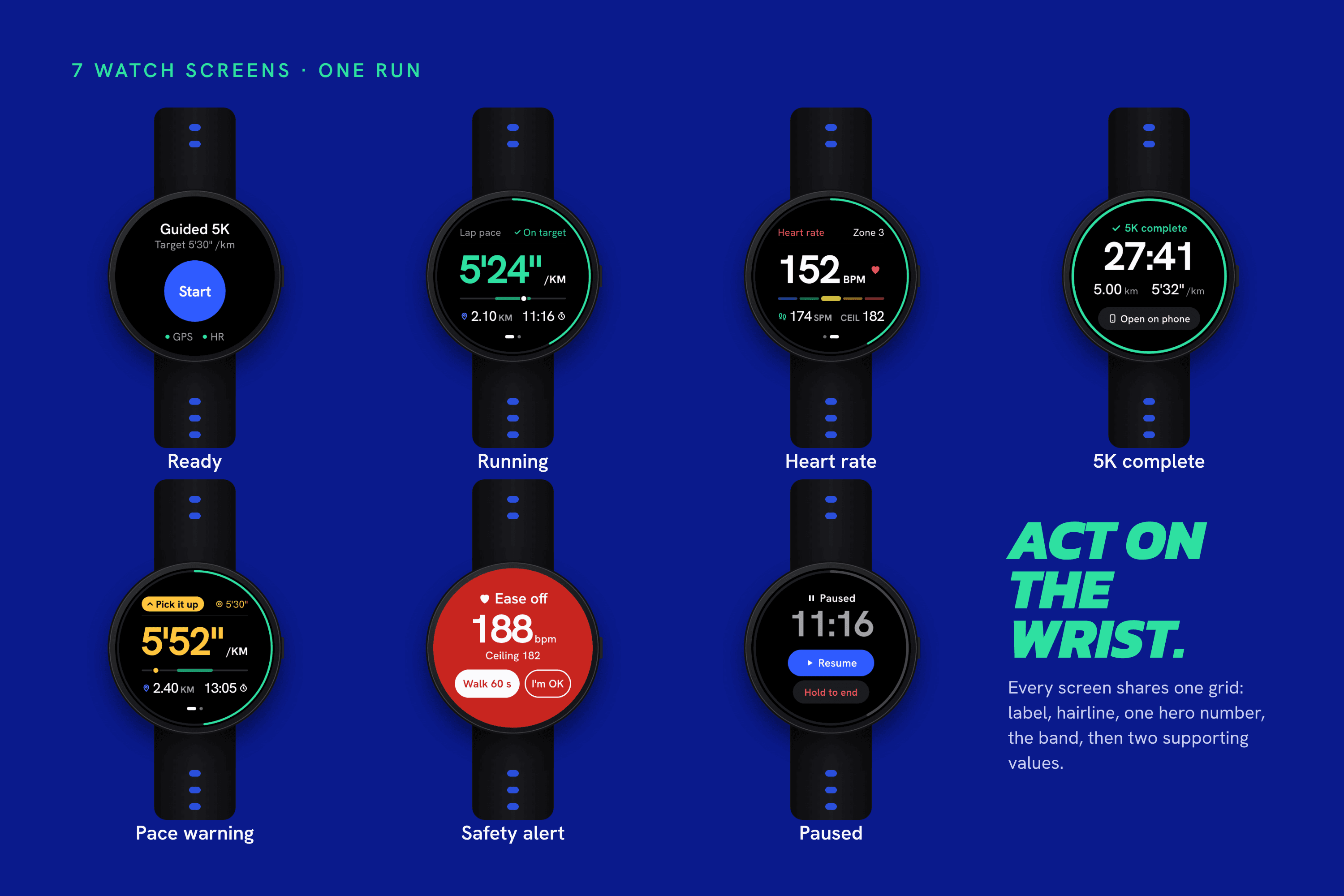
Inputs are built for moving hands. The side button pauses, touch targets are at least 34 pt, and ending a run needs a 2-second hold. Every state change also has a word and a distinct haptic.
The companion app does the thinking. Setup is one target pace plus coaching and feedback settings, sent to the watch in one tap. Review shows the result first, then splits against target, the heart-rate trend with alerts marked, and one tip for next time.

Delivered: seven watch screens, two companion-app screens, a clickable prototype with animated transitions, and a rationale deck that walks through every decision against the brief.
Key decision 01
One glance, one number
Lap pace is the biggest number on screen, green on target and amber when you fall behind, written as 5′24″ so it doesn’t read as a time. A target band shows whether you’re on pace without reading anything, distance and time sit below with their own icons, and a ring fills toward 5 km. Heart rate is one swipe away.


Key decision 02
Only safety interrupts
Severity shows in how much of the screen changes. A pace warning (10 s/km slower than target for 20 s) stays on the run screen in amber with two taps and a voice cue. Only a heart rate over the runner’s ceiling for 15 s takes the whole screen and waits for a response. Nothing fires in the first 400 m, there’s at most one pace warning a minute, and bad sensor data never triggers an alert.
04
Reflection
Tradeoffs
Heart rate lives on page two, but it still drives the safety alert, so a cleaner run screen costs nothing in safety.
Lap pace settles slowly early in each km, so warnings use a 30-second rolling pace instead.
The ceiling is a training limit the runner sets, not a diagnosis. It needs 15 s of readings and never fires on bad data.
What I’d test next
A glance test at race pace on a treadmill: can runners read pace and status in under a second?
A blind haptic test: can they tell a pace warning from a safety alert without looking?
Threshold tuning: how often do people switch warnings off at 5, 10 and 15 s tolerance?